Will this work in games?
The software sends standard mouse and keyboard input, just like a regular input device would. Whether a game allows mouse control is up to the game itself — check its settings. Competitive games with anti-cheat software may have restrictions on input methods; that's a game decision, not ours.
Do I need to restart Windows or have admin rights?
No. The app installs normally and runs as your user account. It can optionally launch at startup without requiring special permissions.
Can I customize the button mapping?
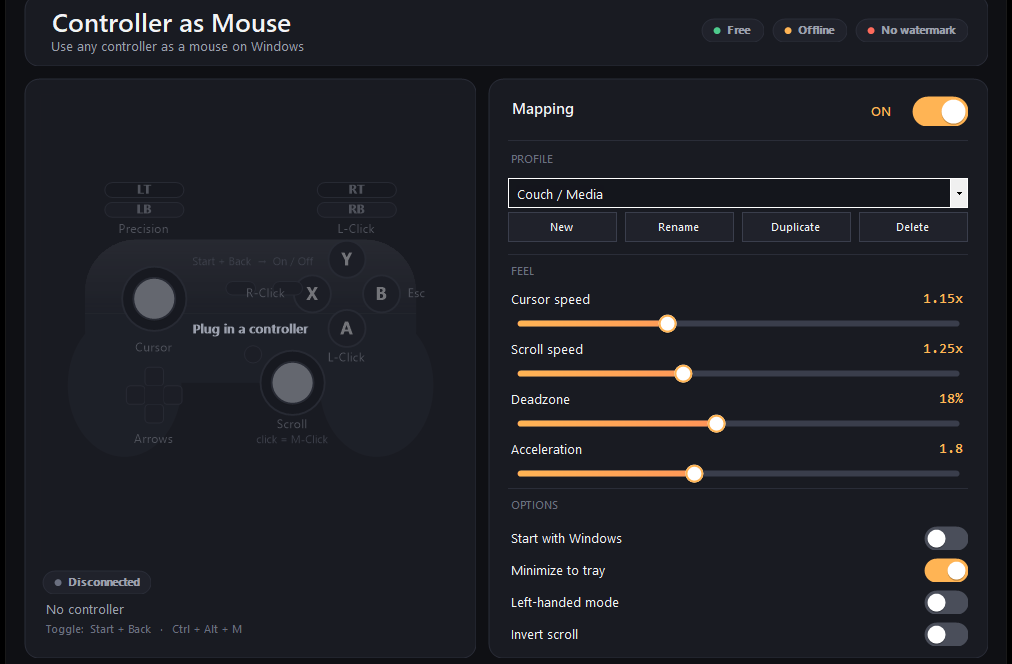
The default mapping is fixed, but you can choose between preset profiles — Couch / Media, Precision, and Left-handed — each tuned for a specific use. You can also create and save your own profiles with custom sensitivity settings.
What if I unplug the controller or connect a different one?
The app detects hot-plug instantly. Disconnect one pad and plug in another, and it's recognized immediately with no restart needed.
How do I turn the mapping on or off without closing the app?
Press Start + Back on the controller, or use Ctrl + Alt + M on the keyboard. The app stays running in the system tray and remembers your choice next time you launch.
Can I use this with a DualShock 4 or DualSense?
Yes. Xbox controllers, DualShock 4, and DualSense all work out of the box via the built-in Windows controller support. No special drivers needed.
Is there a watermark, ads, or subscription?
No. The app is completely free, runs offline, and contains no ads or watermarks. Download it once and use it forever.